1
AI Question Answering
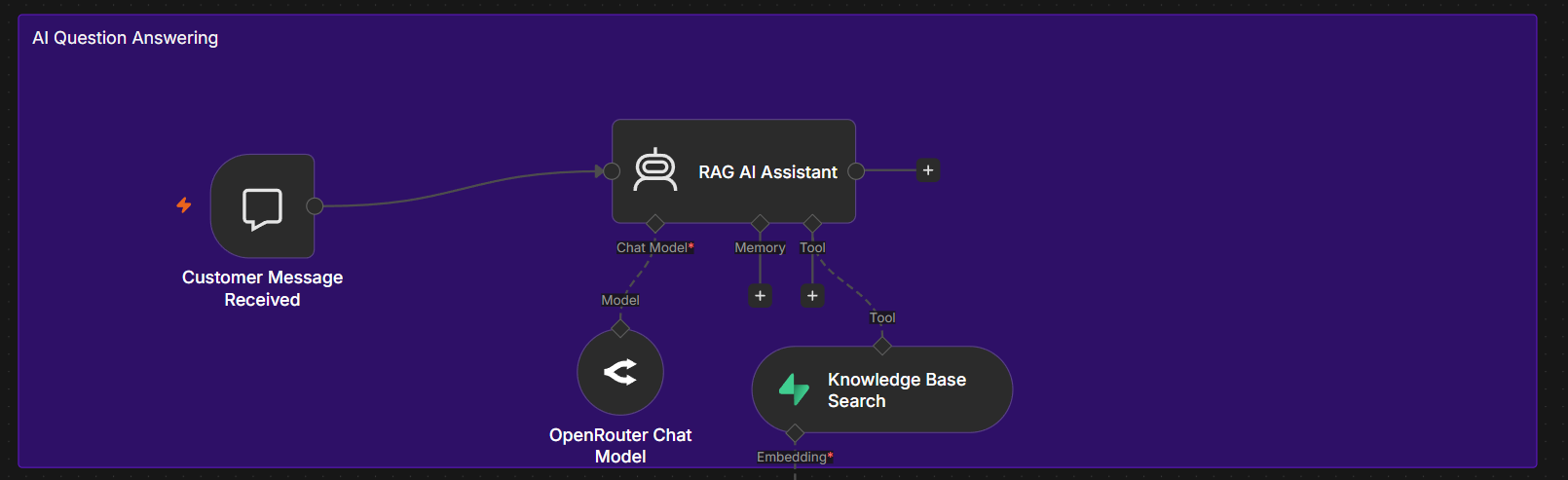
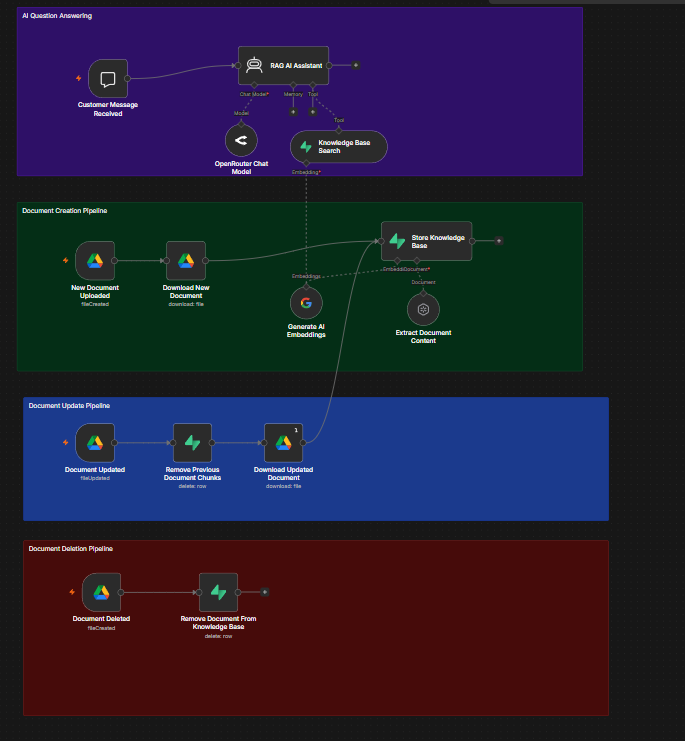
A customer message reaches the RAG assistant. The agent uses OpenRouter for response generation and calls the knowledge base search tool to retrieve relevant document content before answering.
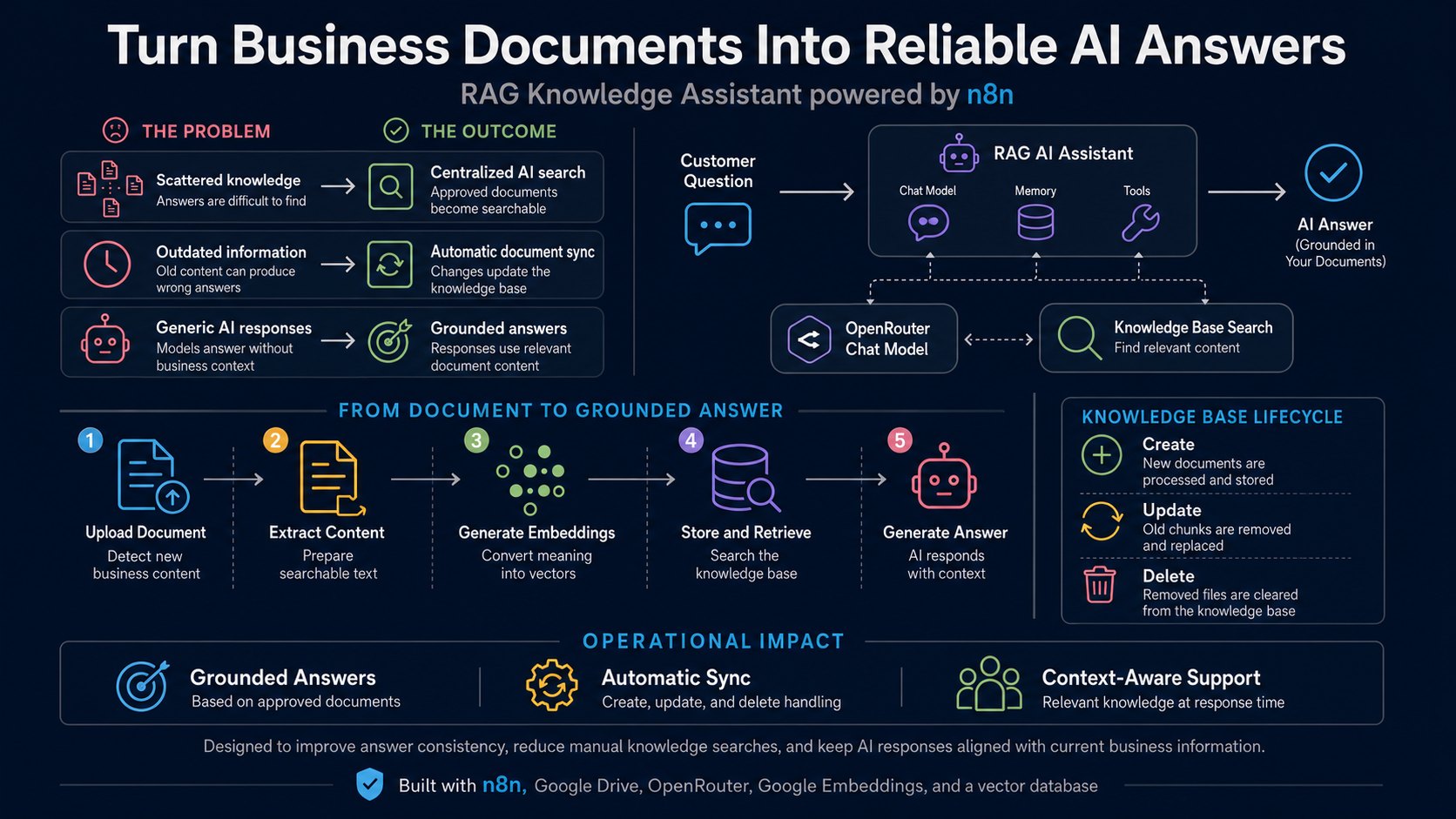
A document grounded AI assistant that searches approved business information before answering and keeps its searchable knowledge base synchronized when files are created, updated, or deleted.
The solution separates question answering from document management. Business documents are processed into searchable embeddings, stored in a vector database, and retrieved only when they are relevant to the user’s question.
Watch the RAG agent search approved business documents, retrieve relevant information, and generate a grounded response through one connected workflow.
Four connected pipelines manage the full knowledge lifecycle and keep the answering experience aligned with the available source documents.
A customer message reaches the RAG assistant. The agent uses OpenRouter for response generation and calls the knowledge base search tool to retrieve relevant document content before answering.
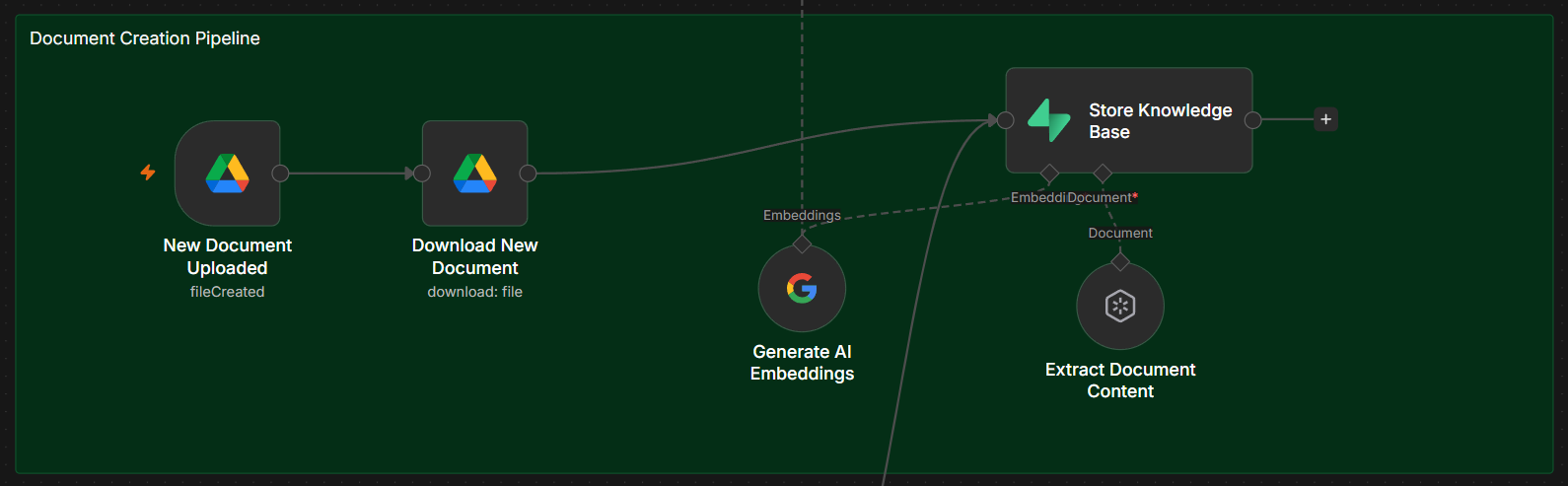
When a new file is uploaded to Google Drive, the workflow downloads it, extracts its content, generates embeddings, and stores the searchable document chunks in Supabase.
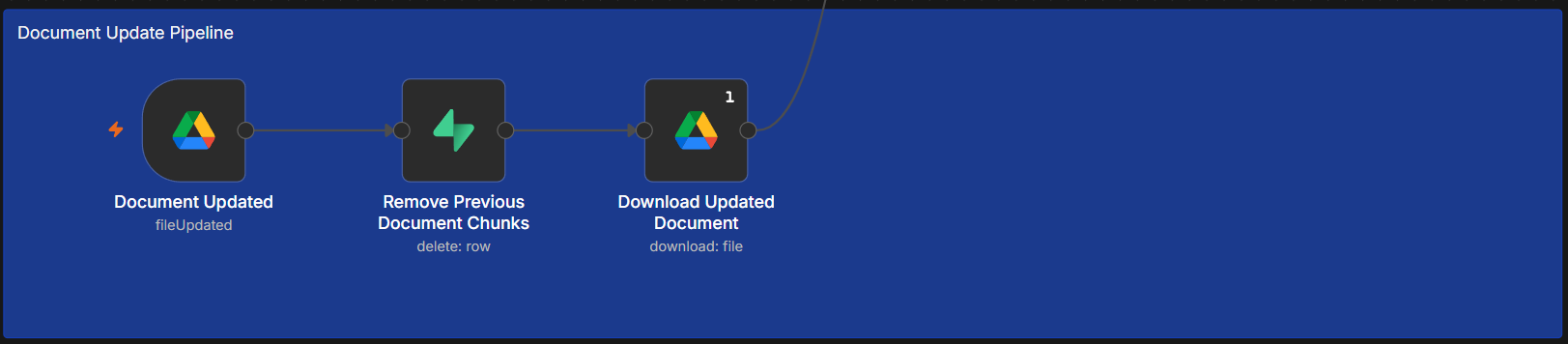
When a source file changes, previous document chunks are removed first. The updated file is downloaded and passes through the creation pipeline again so search results use current information.
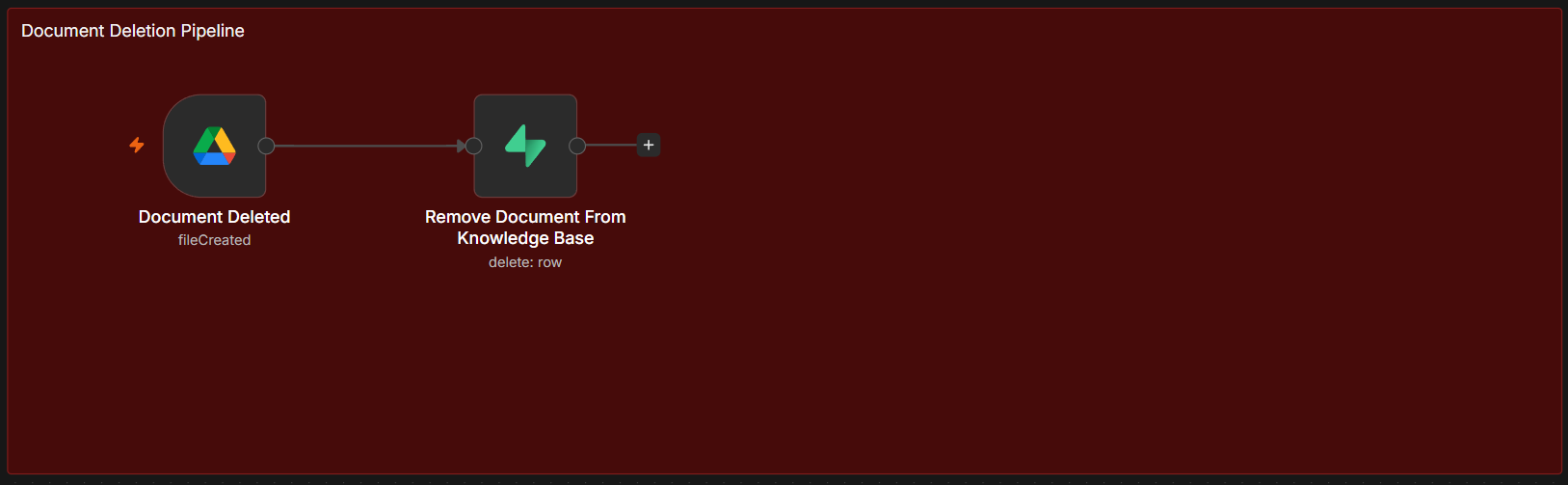
When a document is deleted from Google Drive, its related records are removed from the knowledge base so unavailable content is no longer returned.
The overview explains the business value while the full workflow shows the complete answering and document lifecycle.
| Tool | Role in the Solution |
|---|---|
| n8n | Coordinates triggers, document processing, retrieval tools, and AI responses. |
| Google Drive | Provides the source documents and file lifecycle events. |
| Gemini Embeddings | Converts document content into searchable numeric representations. |
| Supabase | Stores document chunks, metadata, and vector embeddings. |
| OpenRouter | Provides the chat model used by the RAG assistant. |
A production RAG system needs controls for access, data quality, synchronization, cost, and monitoring.
View the project visuals or return to the AI Automation portfolio.