1
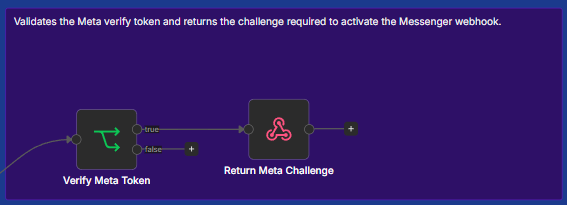
Meta Webhook Verification
Meta sends a verification request to the workflow. The automation validates the supplied verify token and returns the required challenge, activating the Messenger webhook only when the request is valid.
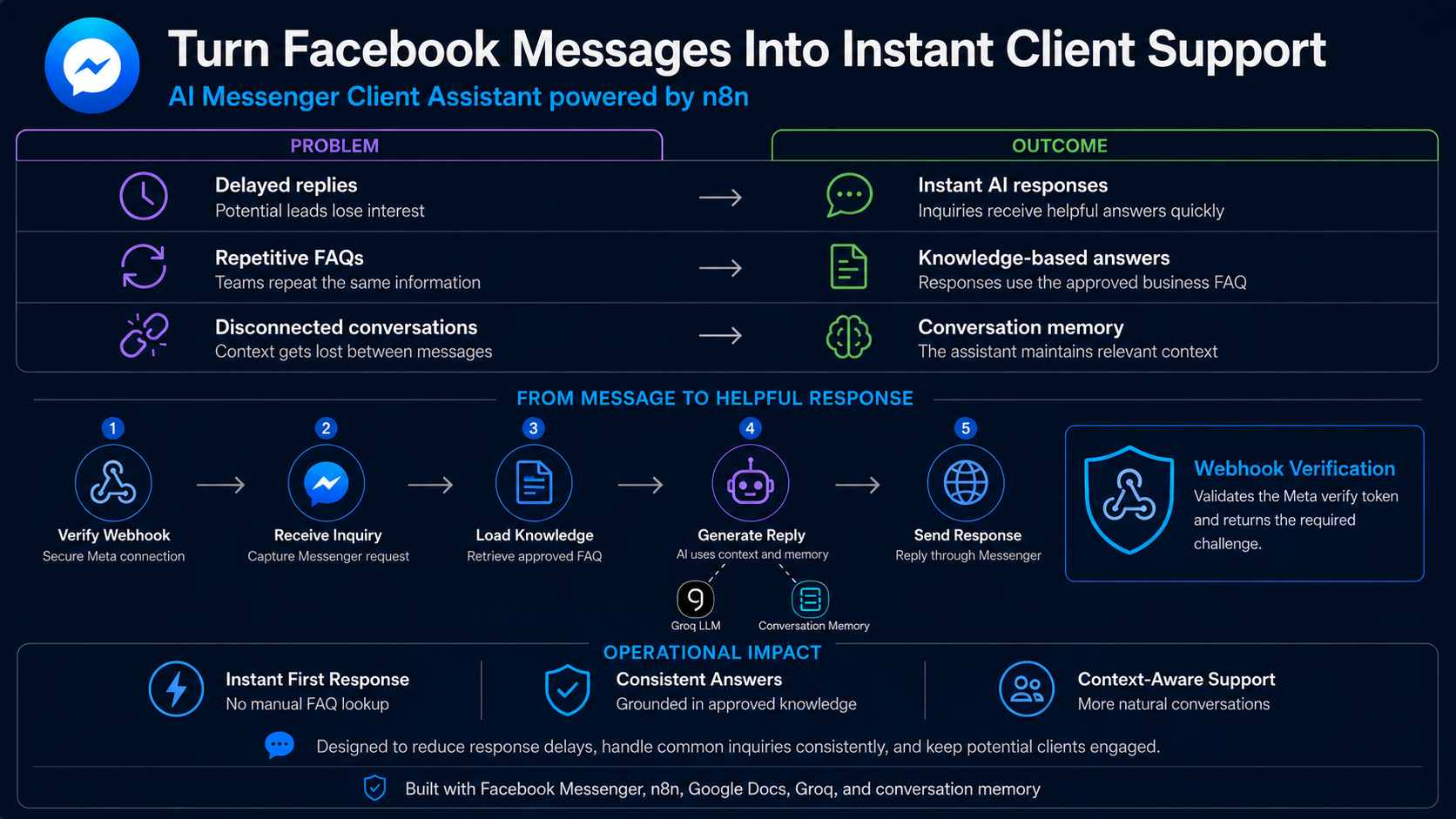
An automated client support system that verifies Meta webhooks, uses approved FAQ knowledge and conversation context to answer inquiries, and sends helpful replies through Facebook Messenger.
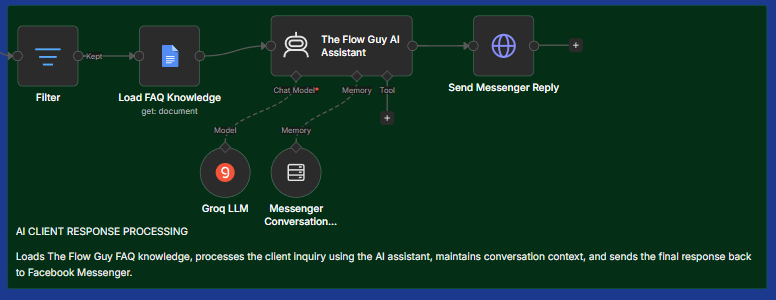
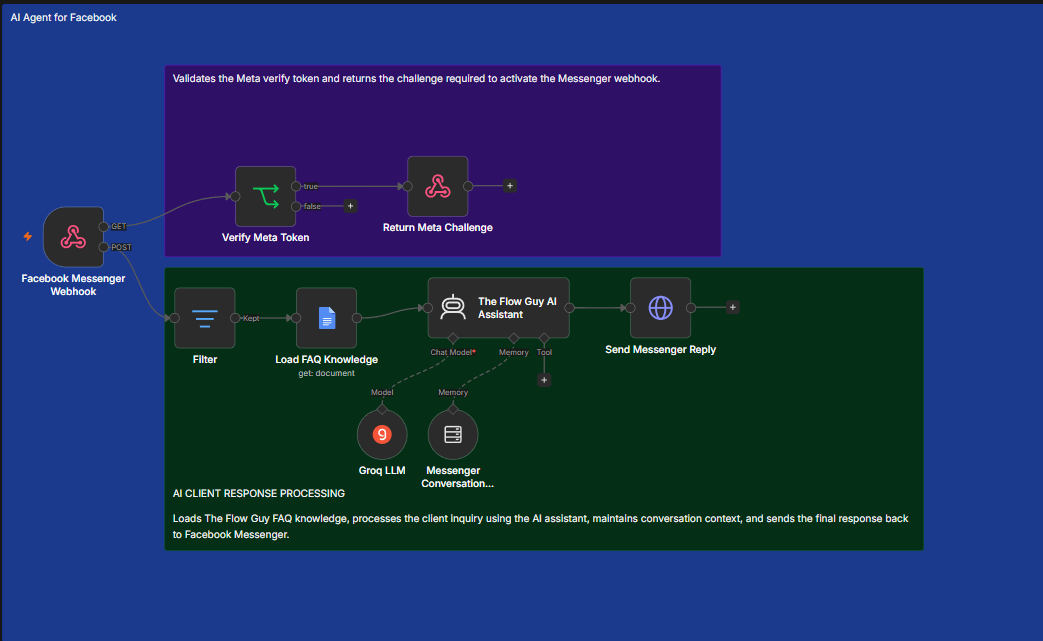
The assistant connects Facebook Messenger to an n8n workflow. Incoming events are filtered, grounded with approved business information, processed with an AI model and conversation memory, then returned to the customer through Messenger.
Watch how the AI assistant receives a customer inquiry, processes it through the automation workflow, and sends a helpful response through Facebook Messenger.
The workflow separates platform verification from customer response processing so each responsibility is easy to understand and maintain.
Meta sends a verification request to the workflow. The automation validates the supplied verify token and returns the required challenge, activating the Messenger webhook only when the request is valid.
Incoming events are filtered, the approved FAQ document is loaded, and the AI assistant combines business knowledge with conversation memory. The completed response is then sent back through Messenger.
The infographic summarizes the client experience while the full workflow shows how verification, knowledge, memory, and Messenger delivery connect.
| Tool | Role in the Solution |
|---|---|
| Facebook Messenger and Meta Webhooks | Receive customer messages and deliver the assistant response. |
| n8n | Coordinates verification, filtering, knowledge loading, AI processing, and delivery. |
| Google Docs FAQ Knowledge | Provides approved business information for common customer questions. |
| Groq LLM | Generates natural language replies from the instructions, context, and FAQ content. |
| Conversation Memory | Maintains useful context across related customer messages. |
| HTTP and API Responses | Return the Meta challenge and send completed messages to the platform. |
Before public launch, the assistant should complete Meta approval, privacy, security, reliability, and response quality checks.
View the project visuals or return to the AI Automation portfolio.